MCP/Tools Health
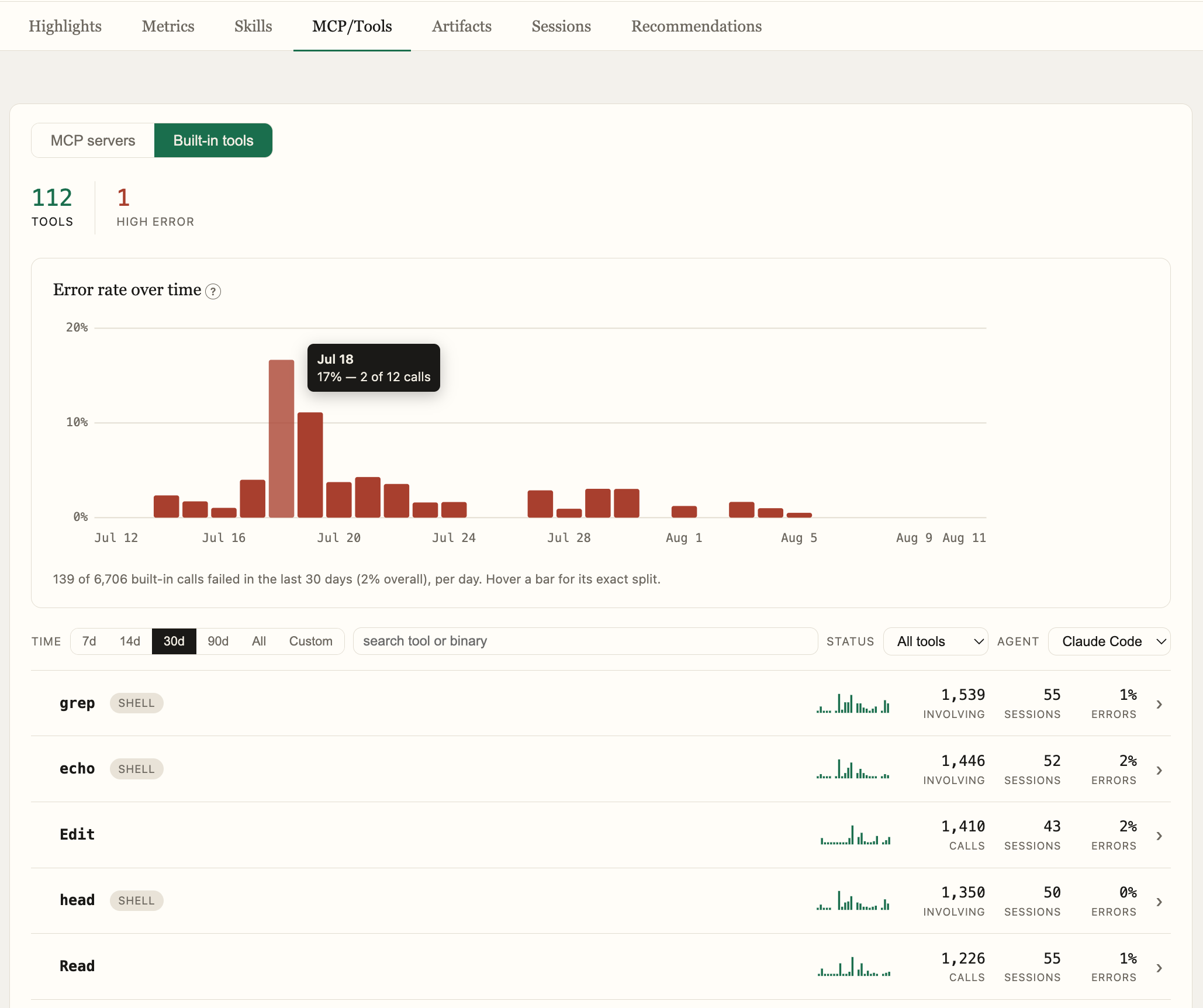
The MCP/Tools tab provides health metrics for every MCP server and built-in tool used across your team's sessions.
Tool Roster
Two views:
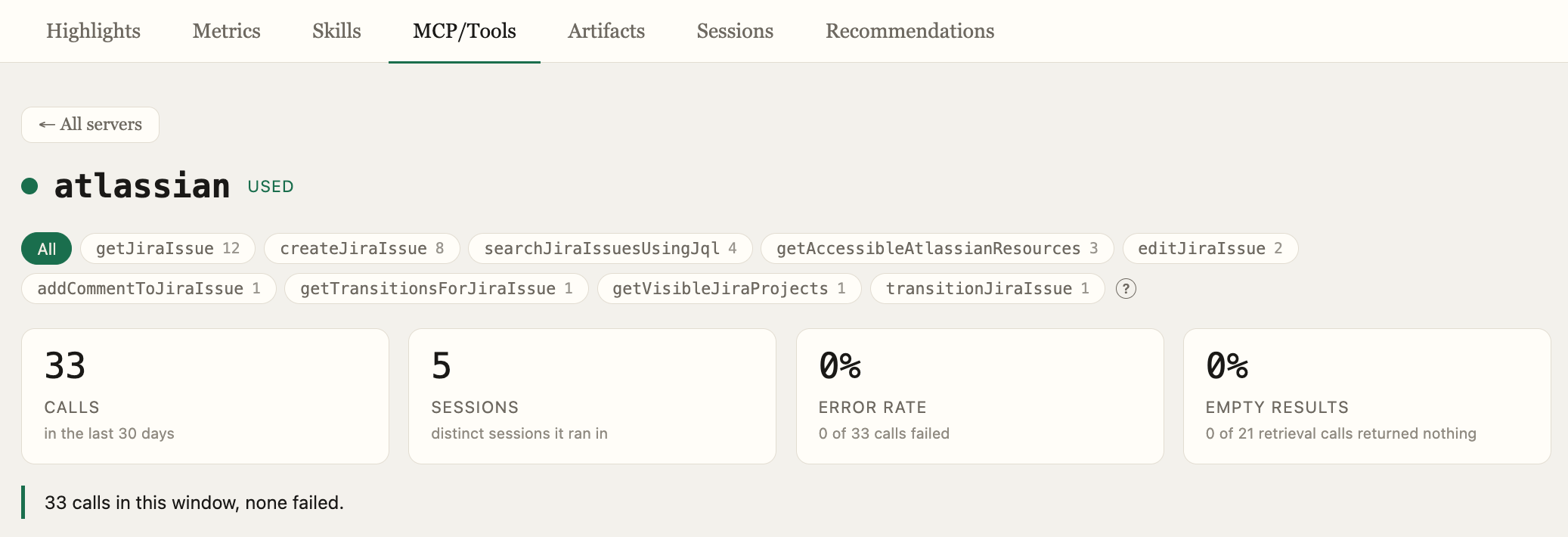
- MCP Servers — every MCP server seen across your team's sessions, with per-tool drill-in
- Built-in Tools — native agent tools (file read/write, shell, search) and shell binaries promoted to individual rows
Per-Tool Metrics
For each tool or server:
- Call count and session count
- Error rate and empty-result rate
- Error rate trend over time
- Per-repo usage breakdown
- Session call list with transcript deep-links
Error Categories
Every tool error is automatically classified into one of 19 categories using deterministic pattern matching — no LLM required. Categories include:
- Precondition — tool preconditions not met (e.g., edit before read, stale file)
- Not found — file, path, or resource missing
- Permission — OS or filesystem access denied
- Policy blocked — harness sandbox or approval policy blocked the action
- User declined — user declined an approval prompt
- Test failure — test run reported failures
- Compile error — syntax errors, missing modules, type errors
- Network — connection refused, DNS failure
- Rate limit — 429 or quota exceeded
- Integration error — MCP server transport-level failure
Classification is harness-agnostic — Claude Code, Codex, and OpenCode error strings all map into the same buckets. Tools with high error rates surface a dominant error category to help you diagnose the root cause quickly.
Error Attribution
For shell commands, Tuneloop attributes failures to the specific binary in a compound command — so npm install | grep error blames npm, not grep.