Session Transcripts
Tuneloop captures every AI coding session and enriches it with structured metadata. Search and filter sessions across all harnesses in one place.
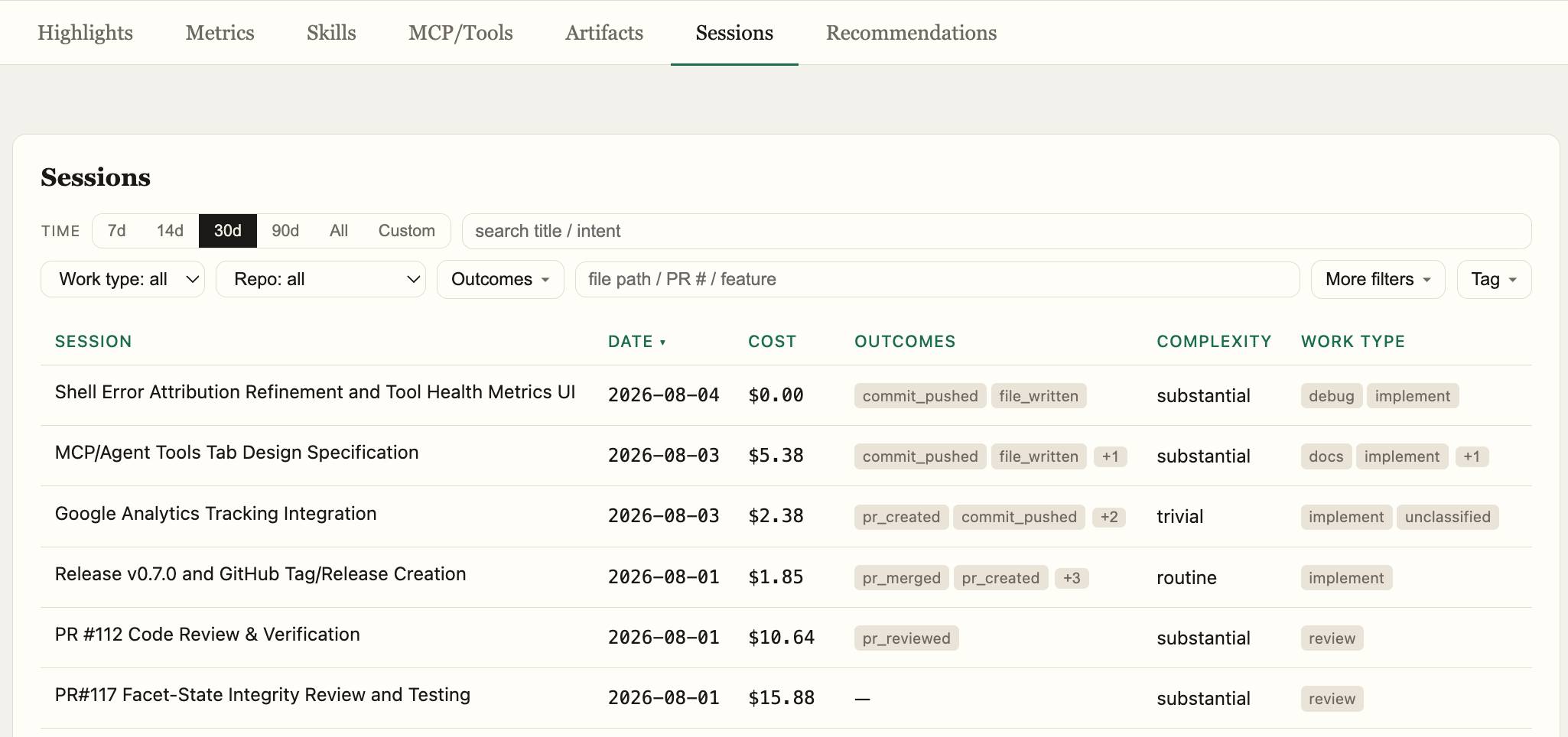
Session Enrichment
Each session is automatically enriched with:
- Outcome links — merged PRs, features shipped, files changed
- Cost attribution — granular cost attributed to specific outcomes
- Complexity — task complexity classification (trivial, routine, substantial, open-ended)
- Autonomy — how much the agent did independently vs. with user guidance
- Work type — implement, debug, refactor, review, docs
- Key decisions — significant choices the agent made during the session
- Tool error categories — classified errors for every tool call
Transcript View
Each session is rendered as a turn-by-turn conversation between the user and the agent, with:
- Tool calls shown inline with collapsible diffs, commands, and outputs
- Error panels highlighting tool failures with error navigation
- Subagent transcripts as separate scoped views
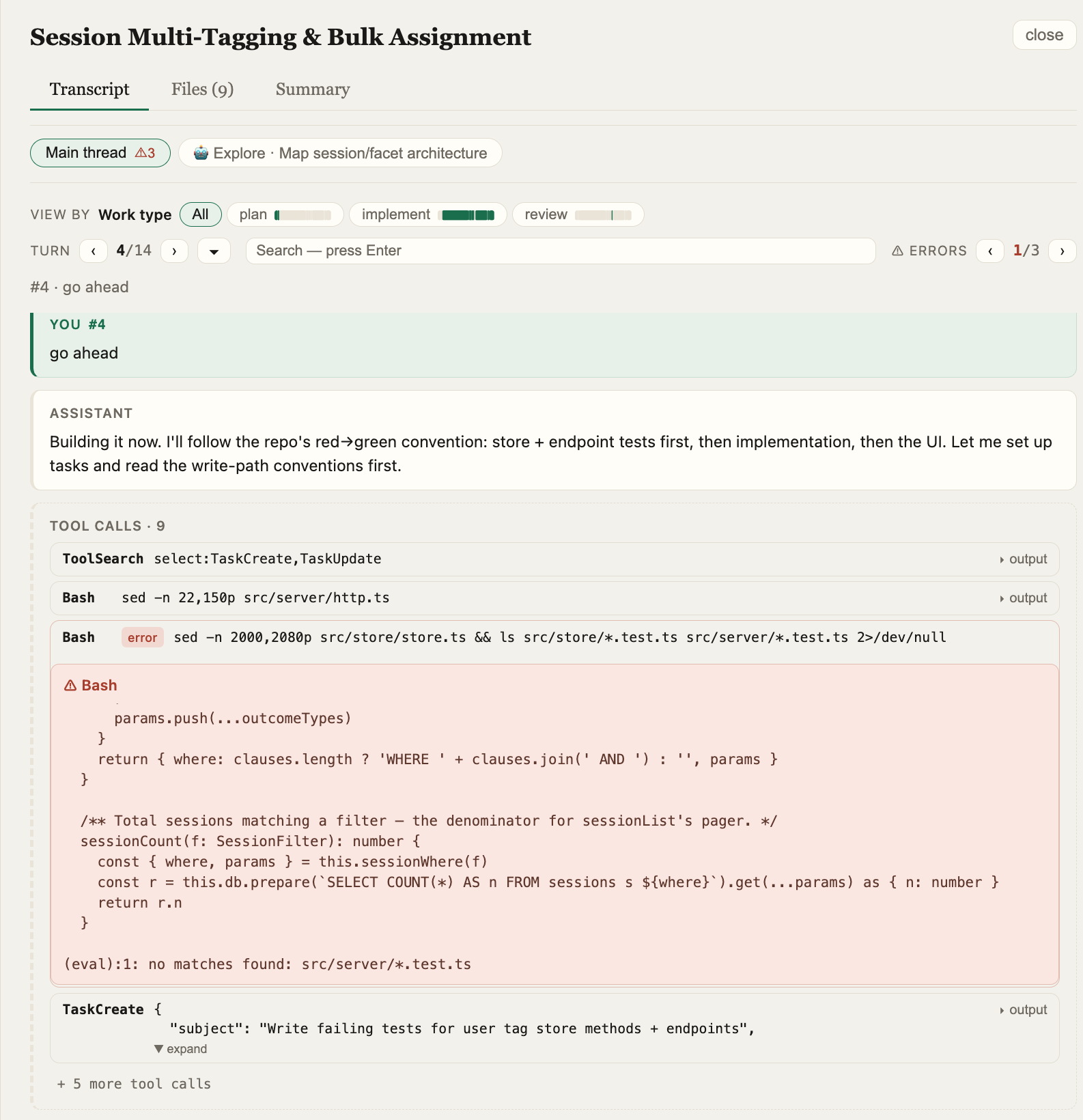
Block Filter
Use the "View by" filter to focus the transcript on a single PR, feature, or work type. Other content is collapsed behind named gap markers, letting you trace exactly what work went into a specific outcome.
Files Tab
See every file the agent touched, with:
- Per-file diff cards grouped by which user message drove the edits
- Running-state diffs showing the file's evolution through the session
- Narration captions explaining each change
Summary Tab
A structured overview of the session:
- All facet dimensions (work type, complexity, autonomy)
- Intent summary and key decisions
- Features, PRs, and tickets touched
- Files modified
- Outcomes produced
Share Sessions
By default, sessions are visible only to the creator. Tuneloop allows users to share sessions with others for debugging — share links can be posted to PR reviews, for example.